
Advanced Anti-Bot Fingerprint Protection
Spoof Canvas, WebGL, AudioContext, Font enumeration, and ClientRects to completely bypass Meta detection.
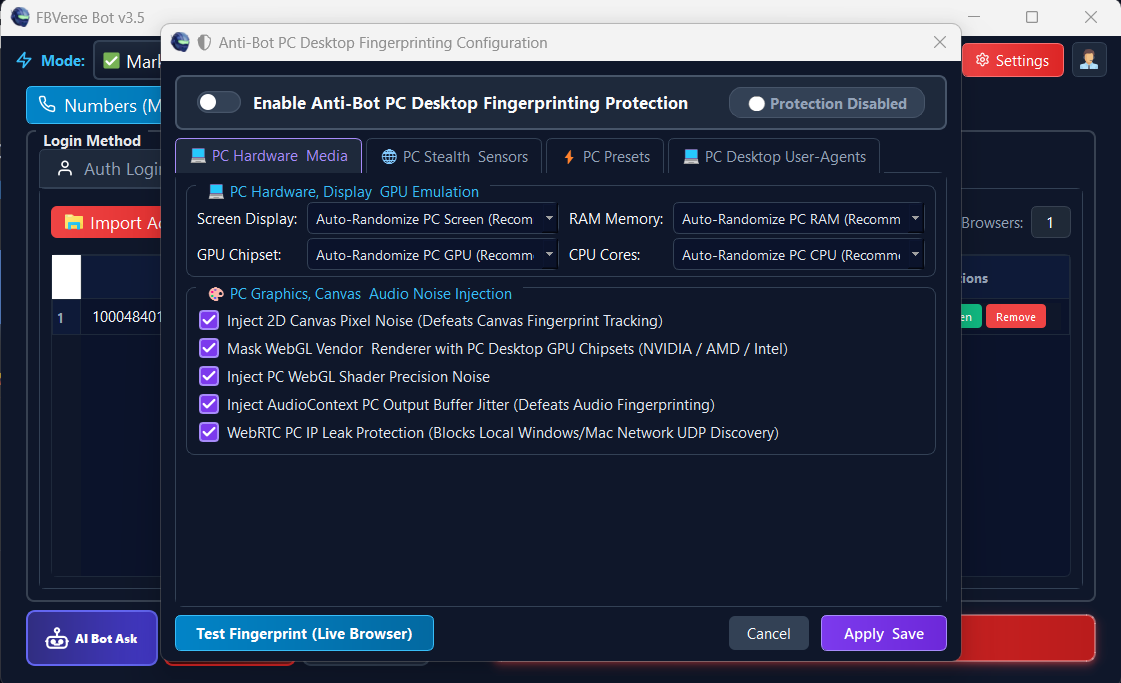
Technical Specifications & Parameters
Architectural Overview
Step-by-Step Operation Guide
Navigate to the Anti-Detect Browser Profile Manager in FBVerse Bot v3.5.
Click "Edit Fingerprint" on any profile or choose "Randomize Hardware Identity".
Select your target OS (Windows 11, macOS Sonoma, or Ubuntu Linux) and graphics card.
Enable WebRTC Leak Shield and Canvas Noise injection.
Launch the profile and verify 100% clean stealth scores on Pixelscan and BrowserLeaks.
Strategic Advantages
Drastically reduces account shadowbans, Marketplace restrictions, and identity checkpoints.
Allows running dozens of high-activity accounts from the same physical computer.
Prevents cross-account device linkage by isolating all hardware identifiers.
Continuous signature updates in v3.5 match the latest Google Chrome and Edge releases.
Frequently Asked Questions
Does Canvas noise affect website display quality?
No. The micro-noise is applied at the rendering buffer level during fingerprint queries without altering visual image quality.
Will this protect against WebRTC IP leaks when using proxies?
Yes. FBVerse Bot completely disables public WebRTC candidates and ensures only your proxy IP is visible to WebRTC queries.
Can I mimic Mac or Linux fingerprints on a Windows PC?
Yes. FBVerse Bot v3.5 allows Windows users to seamlessly spoof macOS or Linux User-Agents, Navigator properties, and font tables.
Ready to deploy Advanced Anti-Bot Fingerprint Protection?
Get instant access to this feature along with all 16 enterprise modules in the latest FBVerse Bot v3.5 release.
Explore More v3.5 Innovations
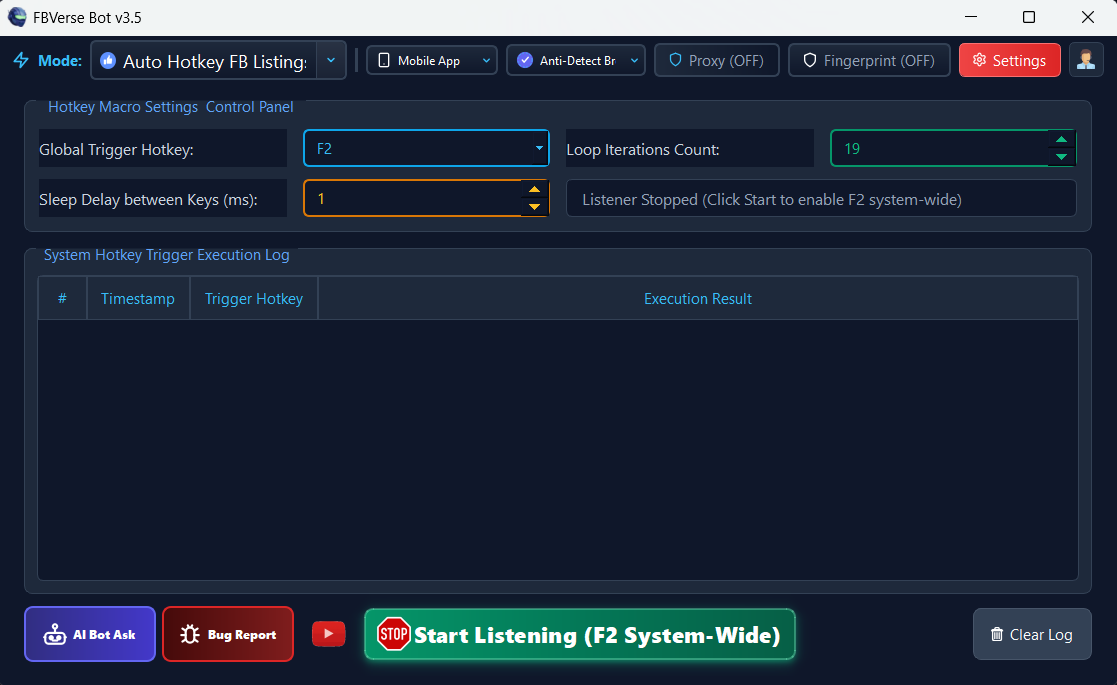
F2 Hotkey Instant Listing Renewal
Renew active Facebook Marketplace listings instantly with a single F2 keystroke without logging out or refreshing sessions.
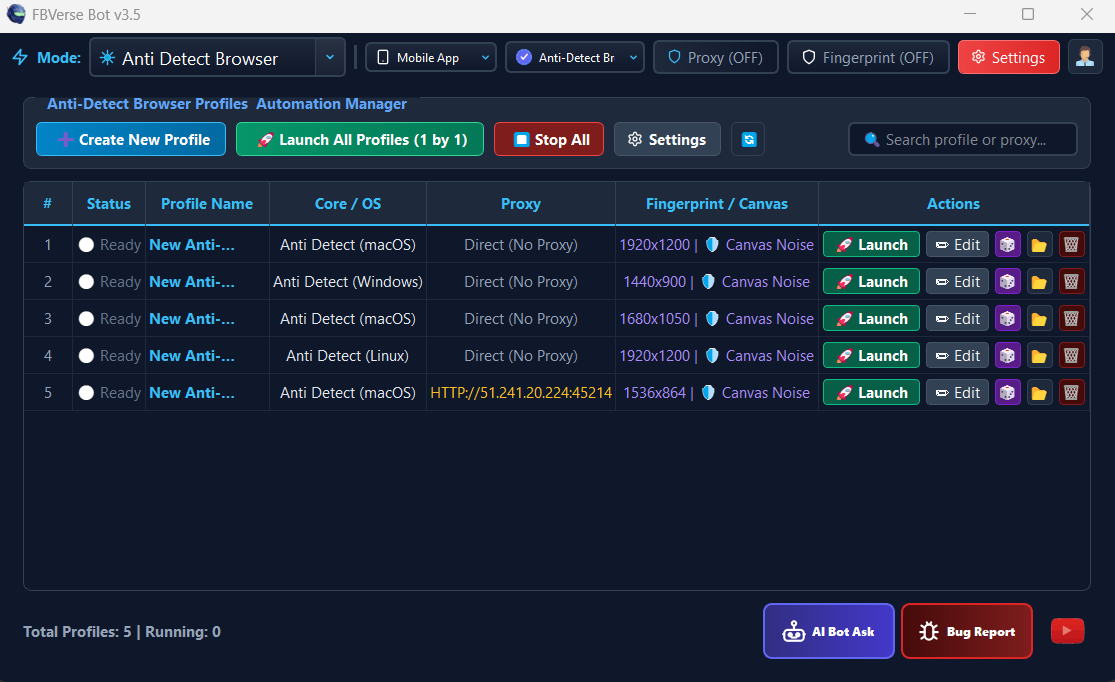
Anti-Detect Browser with Unlimited Profiles
Isolated multi-profile browser environment running unlimited independent Facebook sessions with dedicated proxy tunneling.
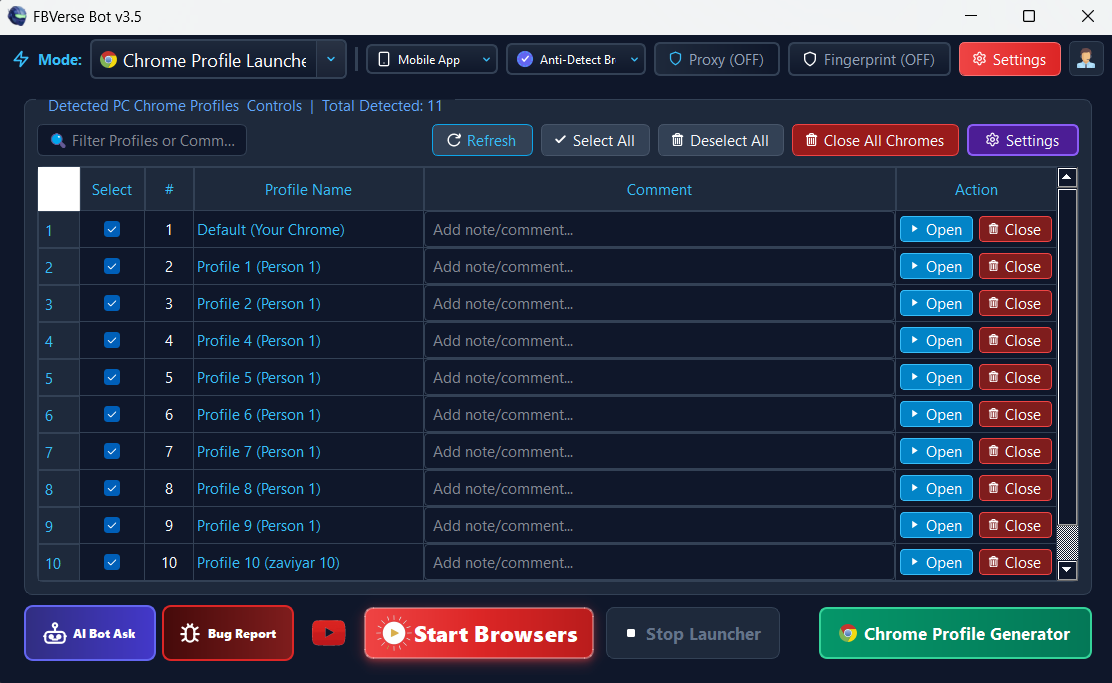
Auto-Detect Chrome & Power Loss Auto-Recovery
Auto-detects local Chrome profiles and automatically reopens and restores all active sessions after power outages or crashes.